

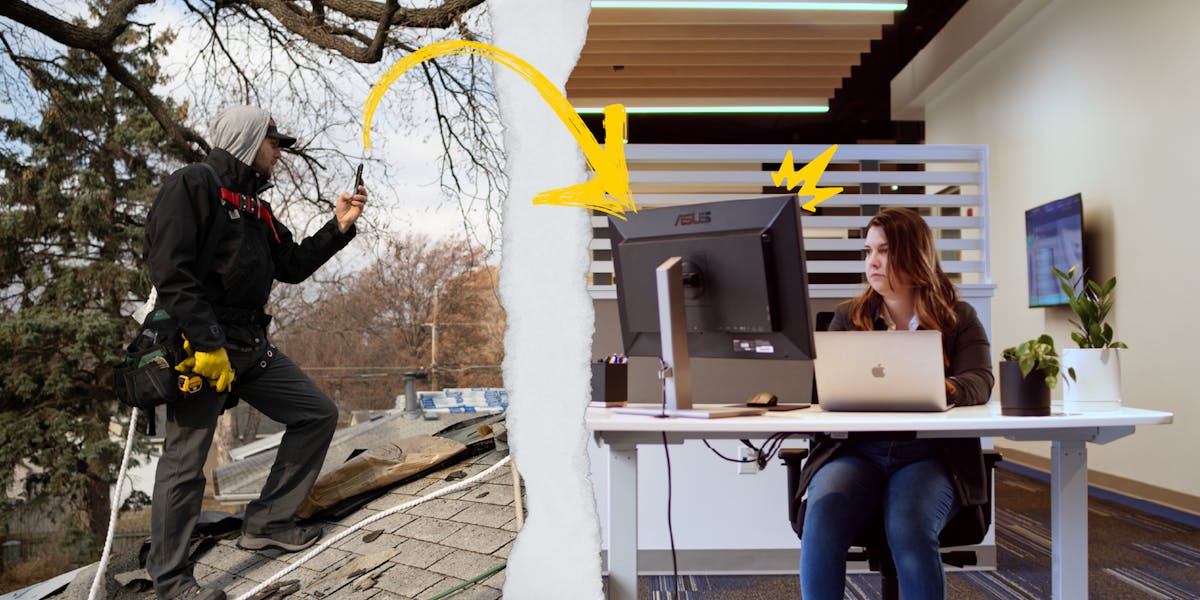
Most collaboration software was built for people at desks. Slack channels, Kanban boards, and task comments work fine when your whole team is in the same building. They fall apart when half your crew is on a roof, the other half is in a basement, and your office manager needs to know what’s happening at both sites right now.
The collaboration problem contractors actually have isn’t messaging. It’s visibility. The office doesn’t know what’s happening on site without calling the crew. The crew doesn’t know what the office flagged without checking their texts. Photos live in personal camera rolls with no project context attached. By the time anyone pieces together what happened on a job, the window to fix it has already closed.
CompanyCam is built for that specific problem. Every photo a crew member takes is automatically organized under the right project with GPS coordinates and a timestamp. The office sees the project feed update in real time without anyone sending a file or making a call. In-app comments let the office flag issues directly on a photo so the crew sees exactly what needs attention. That’s field-to-office collaboration built around how contractors actually work, not how software companies think they work.
What Makes Team Collaboration Tools Work for Field Teams?
Before we dive in, let’s be clear about what matters when you’re running a contracting business:
- Speed and ease of use. Your crew shouldn’t need a tutorial to share an update. If it takes more than a few taps, it’s too complicated.
- Photos are everything. In the trades, a picture really is worth a thousand words. Any collaboration tool that doesn’t make visual documentation dead simple is missing the point.
- Not everyone’s at a desk. Your team is on ladders, in crawl spaces, and on roofs. They need tools that work on phones, with gloves on, in bright sunlight.
- The office needs visibility. While your field teams are doing the work, project managers and office staff need to see what’s happening without constant phone calls.
What to Look for in Collaboration Tools
Visual Communication First
Text messages and emails can only do so much. When you’re documenting a roof repair or showing a client the before-and-after of a kitchen remodel, you need photos front and center. The best collaboration tools let your team snap, share, and organize photos without the back and forth.
Simple for Everyone
If your most experienced crew member can’t figure it out in five minutes, it’s not the right tool. Training time costs money, and complicated software just doesn’t get used. Look for tools that feel natural from day one.
Real-Time Updates
When conditions change on a job site, everyone needs to know. Whether it’s weather delays, material shortages, or scope changes, real-time updates keep small problems from becoming big ones.
Works Where Your Team Works
Cell service isn’t always perfect. Offline functionality isn’t just nice to have, it’s essential. Your collaboration tool should let crews capture information even when they’re in a basement or out in a rural area.
Types of Collaboration Tools Contractors Actually Use
Photo Documentation Apps
These tools help teams capture, organize, and share job site photos. They’re built around the reality that contractors communicate visually. The right photo documentation app becomes your project timeline, your proof of work, and your marketing portfolio all in one place.
What to look for: Automatic photo organization by project, easy sharing with clients and team members, and the ability to add context with notes and labels.
Project Management Software
These tools help you track timelines, assign tasks, and keep projects organized from start to finish. The best ones designed for contractors understand that not everything goes according to plan.
What to look for: Simple task assignment, deadline tracking, and organization by project.
Communication Functionality
Group chats, direct messages, and quick check-ins happen here. They’re faster than email and more organized than endless text threads.
What to look for: Channels for different projects or teams, easy file sharing, and search that actually works when you need to find something from three months ago.
Reporting and Proposal Tools
These help you turn job site information into professional reports and proposals. The faster you can get the information to the right person, the more jobs you’ll close.
What to look for: Template libraries, automated reporting, photo integration, and professional presentation without hours of formatting.
How field-to-office visibility actually works in CompanyCam
When a crew member opens CompanyCam and selects the project before heading into a dead zone, every photo they take files under that job automatically, even offline. GPS coordinates and timestamps record at the moment of capture. When the phone reconnects, photos sync to the project feed without anyone tapping an upload button.
The office sees the feed update as photos come in. A project manager can scroll the timeline from a desk, spot a missed step, and leave a comment directly on the photo. The crew member gets a notification, sees the markup, and fixes it on the spot. No phone call, no text thread, no “can you send me that photo” back and forth.
This is now the optimized loop:
- Capture
- Organize
- Sync
- Flag
- Fix
And the loop runs on its own once the crew is set up. The collaboration happens through the documentation, not around it.

Document everything, instantly.
Your crews snap photos throughout the day. CompanyCam automatically organizes them by project, date, and location. No sorting, no filing, just grab your phone and shoot.
Keep everyone in the loop.
When someone adds photos or updates to a project, the whole team sees it. Project managers get visibility without micromanaging. Office staff can answer customer questions without calling the field. Crews can see what happened on a job before they arrived.
Win more work.
When it’s time to create a proposal or show off your portfolio, your best project photos are already organized and ready. Turn documentation into marketing assets in minutes, not hours.
Easy to set up and use.
CompanyCam feels familiar from the first time you open it. If you can use your phone’s camera, you can use CompanyCam. That means your whole team will actually use it, not just the tech-savvy ones.
Making Collaboration Actually Happen
The best project collaboration tool is the one your team will actually use. That means it needs to fit into their workflow, not force them to change how they work.
Start with visual documentation. Get everyone capturing photos consistently. That alone will transform how your team communicates and how visible work becomes across your company.
From there, build in more structure. Add checklists to catch details. Create templates for recurring project types. Develop systems that help your team work better without slowing them down.
The goal isn’t to add more work. It’s to make the work you’re already doing easier to share, easier to track, and easier to turn into more business.
Your Team, Connected
Field work moves fast. The right team collaboration tools keep everyone moving in the same direction, even when they’re scattered across different job sites.
Your crews get the information they need to do great work. Your project managers get visibility without endless check-ins. Your customers see professionalism at every step. And you get to run a business instead of playing phone tag all day.
That’s how field work moves forward.
Frequently asked questions
What’s the best collaboration tool for field crews and office staff?
For contractors, the most effective field-to-office collaboration happens through shared photo documentation, not messaging apps. CompanyCam gives the office real-time visibility into job site photos as crews capture them, with GPS and timestamps already attached. Project managers can comment directly on photos so crews see exactly what needs attention without a phone call.
Why don’t general collaboration tools like Slack or Monday work well for field crews?
General collaboration tools are built for desk-based teams. They require crews to manually upload photos, switch between apps, and remember to log updates. On a job site, that friction means the tool doesn’t get used. CompanyCam captures documentation as a natural part of taking job site photos, so the record builds itself without adding steps to the crew’s day.
Does CompanyCam work without cell service?
Yes. When you capture a photo offline, CompanyCam stores it locally on your device with the timestamp and GPS coordinates recorded at the moment you took it, not at upload. Location is captured as long as location permissions are granted. The photo waits in a local queue until your phone reconnects, and those capture details don’t change after it uploads. Nothing depends on signal to save the shot.
How does the office know when field photos are available?
Photos appear in the project feed as soon as they sync. Office staff and project managers can scroll the feed from any device and see what crews captured, comment on specific photos, and track job progress without calling the field.
Can multiple crews across different job sites use CompanyCam at the same time?
Yes. Each crew works inside their assigned project. Photos from every site sync into the same organized structure, so the office sees one clean record across all active jobs without managing separate folders or file shares.


