
You already have a brand.
It's the logo on your trucks. The colors on your yard signs. The way you talk to homeowners. The type of work you're known for.
That consistency builds recognition and trust.
Marketing Suite helps carry those same brand details into the content you create online. Those details include the words in your captions to the way your visuals look.
Here's how to set that up.
Customize Your Brand Voice
Your Brand Profile helps Marketing Suite create social captions that sound more like your company.
Set up your Brand Profile
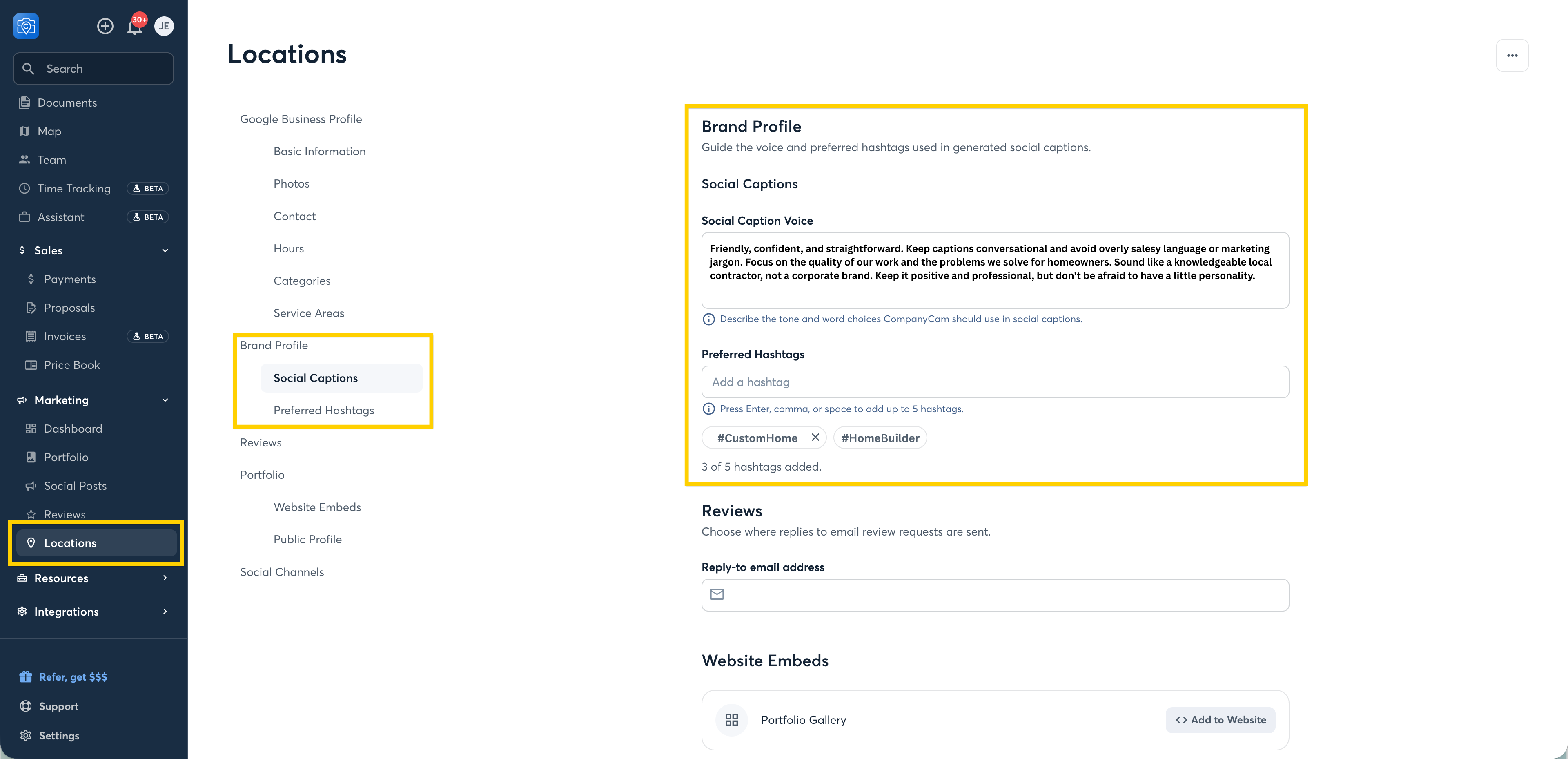
Open Marketing → Locations.
Open Brand Profile.
Review your Social Caption Voice and update anything that doesn't sound like you.
Add up to five Preferred Hashtags.
Think about how you actually talk to customers.
Are you straightforward and professional? Friendly and casual? Do you use certain words to describe your work? Are there phrases you would never use?
The more your Brand Profile reflects your real voice, the better starting point your generated content has.
Pro Tip: If a caption doesn't sound like you, don't just fix that one caption. Update your Brand Profile so future content starts closer to your voice.
Keep Every Location on Brand
Have multiple locations? Each one can have its own Brand Profile.
That means you can keep the overall identity of your company consistent while giving each location the right local details, including its logo, colors, tagline, and voice.
When you open a new location, set up its Brand Profile so its marketing starts with the right information from day one.
Make Your Content Instantly Recognizable
Your brand isn't just about what you say. It's also about how your content looks.
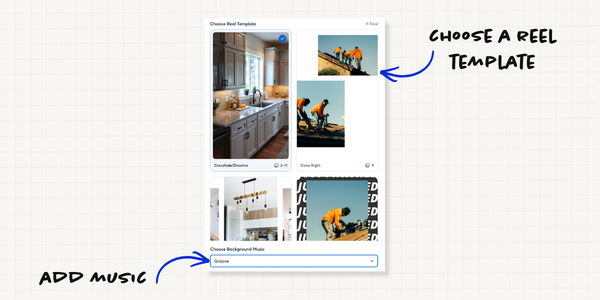
Marketing Suite's reel templates give you different ways to turn project photos into branded video content.
To customize a reel, select Reel → Customize Reel, choose your photos and template, then select your music.
Pro Tip: Choose a few templates and music options that fit your brand and rotate between them. Keeping a consistent visual style makes your content easier to recognize.
Ready to Put Your Work to Work?
Your work is already worth showing off. Your brand is what helps people recognize that the work is yours — so when they're ready for their next project, your company is the one that comes to mind.
Current Marketing Suite user? Take the next step:
✓ Connect your Google Business Profile
✓ Set up your Brand Profile
✓ Create content from a recent project
✓ Publish it where your customers are
Want to try Marketing Suite? Start a free 14-day trial.
New to CompanyCam? Book a demo.
You do the work. CompanyCam does the marketing.
Explore More
Get your whole team up and running with these guides:
- CompanyCam Marketing Tips: Your Content Engine
- CompanyCam for Owners
- CompanyCam for Office Administrators
- CompanyCam for Project Managers
- CompanyCam for Crew Members
- CompanyCam for AI Users
- CompanyCam for Sales Reps
And be sure to bookmark our help site to find quick answers to your questions as they come up.