

We’ve all worked on projects where every interaction with a customer is tense, any sound coming from your phone makes your stomach jump, and the clock seems to be ticking backward.
More often than not, there’s one reason it got to this place: Communication. Or lack thereof.
Here are six strategies, along with a few features in our app, to boost your communication skills and reduce the number of awkward, difficult conversations on each project.
1. Define Your Process
Like with any business process — sales, production, billing — you need to define how your customer communication looks, feels, and operates in your ideal world.
Your process needs to include both internal and external communication, so consider questions like these to help you build it out:
- How often will you communicate? This answer heavily depends on the scope and scale of projects.
- How will you communicate with clients? Choose if you’ll provide your clients with text, email, phone, or in-person updates.
- Where will you communicate internally? Depending on team size, you may need more than a group chat.
- What are internal communication expectations? Determine how often employees and teams need to provide updates to owners and managers.
- How will you escalate communication? Decide your chain of command and who can sign off on what.
Why it matters: By thinking things through before projects begin, you can be more proactive and identify snags before they happen. Once you’re comfortable with this, use it as a standard across your org and every project so that it’s easier to set expectations with your clients and teammates who communicate with clients.
2. Set Expectations (and Meet Them)
Poor communicated expectations kill good working relationships. That’s why sharing your communication preferences, providing timelines, and outlining payment/change order processes is essential.
This will protect your boundaries, help avoid scope creep, and give your customers confidence in knowing how and when you’ll update them. Be sure to outline:
- Who will be the point of contact. Give customers confidence in knowing who they can go to if they have any questions or concerns.
- What hours you can be reached. Choose the hours at which you/your office can be reached and outline any after-hour upcharge policies.
- What your typical reply time is. Set standards around how quickly customer messages should receive a response.
Why it matters: Communication and consistency go a long way in building trust between you and your client. Outlining your process eliminates all misunderstandings, and being upfront and transparent about your communication helps you close deals.
3. Document Everything
Document and log everything while you’re on the job site. Documentation not only helps you CYA when it comes to disputes, but it’s also a good practice that sets you up to market and sell yourself on future jobs.
The local news and home improvement shows have trained homeowners to think that most contractors are trying to pull a fast one on them. These photos provide you and your customer with a shared reality of what is happening on the job, making it easier for you to have difficult conversations about additional repairs and budget needs.
CompanyCam’s Checklists are a great way to ensure you get photos of everything you want and need on every job. Put your SOP into a checklist and watch your team work on it from anywhere.
How to do it: Start by setting a minimum number of photos per day, per crew member. It gets your team in the habit of documenting consistently, and you can always adjust the expectation based on the scope of the job.

4. Share Updates
Keeping clients in the loop doesn’t have to mean answering calls all day. CompanyCam gives you a few ways to share project progress without the back-and-forth.
Give clients guest access to a live view of the project as it happens. They can see photos as they’re added, comment on specific shots, and stay informed without having to pick up the phone. It’s a shared reality of what’s happening on the job — which makes difficult conversations about additional repairs or budget needs a lot easier.
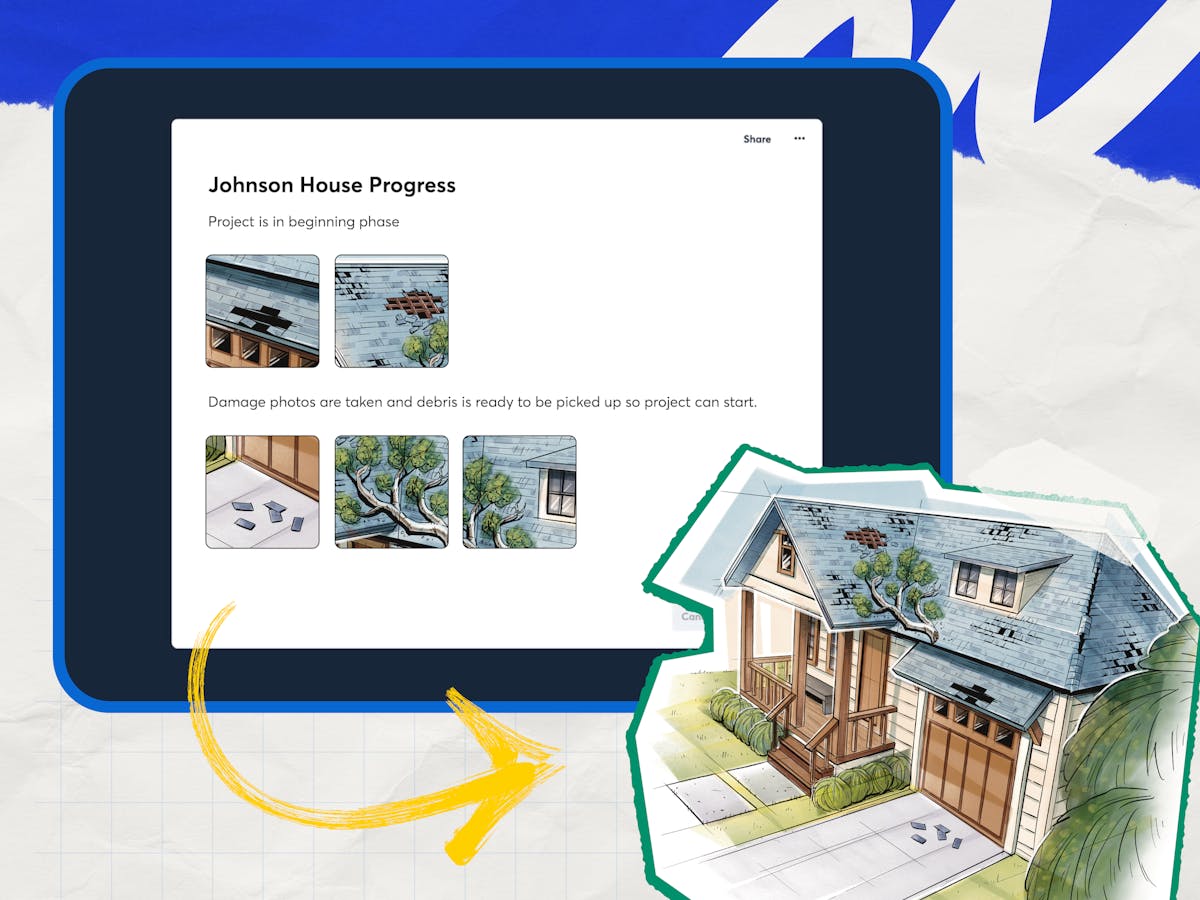
For a more polished update, Pages let you combine photos and notes into a professional, shareable document straight from the job site. Use AI-powered features like Walkthrough Note, Progress Recap, or Daily Log to put together a detailed update in minutes without typing a word.
5. Educate Clients
You might have mixed feelings about this one. But, it is important to educate clients throughout the project because it helps you both communicate effectively in a shared language.
You don’t need to put together a syllabus and quiz them, but there are a couple of easy things you can do:
Develop resources on your website. Outline your project process, answer FAQs, and highlight the software and products you work with to show off your experience.
Share as you work. Provide periodic photo updates, capture a video walkthrough tour using dual camera mode, and share notes from the field to keep your clients in the loop.
Encourage questions. And ask questions of your clients. Unasked/unanswered questions have the habit of turning into tense conversations later.
Why it matters: By providing educational materials and opportunities, your leads will self-select to work with you, and current customers will be confident in your work — and tell your future patrons about your above-and-beyond customer service.
6. Automate, Automate, Automate
To make your communication scalable and effective, you need to automate as much as possible.
Many CRM programs let you set up automated email and text campaigns for appointment reminders and payment follow-ups. The time it takes to set up those campaigns will easily be worth 3x the effort of doing them one at a time.
The most critical messages to automate:
- Website form submission. Thank your lead for filling out the form on your site.
- Appointment booked. Clearly outline when you’ll be there.
- Payment reminder. Let your CRM remind your customer about their upcoming bill.
- Ask for reviews. CompanyCam’s built-in Reviews feature lets you request a Google review directly from the app right when the job wraps up — add a message, attach a few job site photos, and send it via text, email, or QR code. No CRM required.
If you don’t use a CRM (but use CompanyCam), you can set up simple integrations with your Google Calendar and add customers to those calendar invites so they know when to expect you.
None of these strategies require a big budget or a big team. They just require intention. Build the process, set the expectations, document the work, and keep clients in the loop, and you’ll build the kind of reputation that keeps clients coming back.



